
The biggest tournament in sports is almost here, and the excitement is building. Fans in the United States are eager to support their favorite teams. But, finding a reliable stream can be a challenge.
We created this guide to help you find the best FIFA World Cup streaming options. You should get a clear view and no lag during key moments. This page offers detailed reviews and technical tips.
Whether you’re a long-time fan or new to the game, watching online should be easy. We compare costs to help you choose the best service. You’ll find everything you need for great live soccer streaming here.
Get ready for every exciting moment on the field. We’re here to make sure you don’t miss a second of the action. Our guide helps you pick the perfect way to watch today!
What You Need to Know Before Choosing a Streaming Service
Choosing the right streaming service for the World Cup starts with knowing your household’s needs. You must know which networks show the games before signing up. In the U.S., FOX and FS1 broadcast in English, while Telemundo covers it in Spanish.
When picking a service, consider your hardware. Most work on smart TVs, phones, and tablets without problems. Make sure your streaming stick or game console supports the app you want to use.
Internet speed is key for a good viewing experience. You need at least 10 Mbps for High Definition. For 4K, aim for 25 Mbps or more to avoid buffering.
Time zones can be tricky, as matches often happen when you’re at work or asleep. Look for a service with a Cloud DVR to record games for later. This way, you can skip spoilers and watch the full match when you want.
Many households have more than one soccer fan. Check how many devices you can stream on at once. Some services allow three devices, while others limit it to one.
Consider the language of the commentary too. Some fans prefer Spanish announcers, even if they speak English. Services like Peacock or Telemundo offer this vibe.
Lastly, look for services with month-to-month options. You don’t want to be locked into a long contract after the tournament ends. This comparison will help you find the best deal for your budget.
| Feature | Recommended Detail | Why It Matters |
|---|---|---|
| Internet Speed | 25 Mbps or higher | Ensures smooth 4K resolution without lag. |
| DVR Capacity | Unlimited or 50+ hours | Allows you to watch matches from different time zones. |
| Device Limit | 3+ simultaneous streams | Lets multiple family members watch on different screens. |
| Contract Type | Month-to-month | Provides the freedom to cancel after the tournament. |
| Language Options | English and Spanish | Offers variety in commentary styles and coverage. |
Watch Live Fifa world cup Ultimate guide: Best Streaming Platforms Reviewed
Cord cutting sports fans can now enjoy better coverage than ever before. To find the best way to watch the World Cup, we looked at top services. We aimed to find the most reliable options for your living room.
In the United States, you can watch every match in English or Spanish. This means every fan can find a commentary they like. Our review focuses on platforms with stable feeds and great features.
We picked five services for this guide based on their quality and value. These include FOX Sports, Peacock Premium, Fubo TV, Sling TV, and YouTube TV. Each offers something unique for soccer streaming app users.
Some fans look for the cheapest option, while others want the most channels. We considered platforms with 4K resolution and mobile device support. This ensures cord cutting sports fans can watch the game anywhere.
We evaluated FIFA World Cup coverage and user experience. We also checked how these apps handle live events. You can trust that there’s a perfect match for your needs.
| Platform | Primary Language | Key Feature | Best For |
|---|---|---|---|
| FOX Sports | English | Official Broadcaster | Reliability |
| Peacock Premium | Spanish | Affordable Price | Budget Fans |
| Fubo TV | Multi-language | 4K Capabilities | Sports Purists |
| Sling TV | English/Spanish | Flexible Packages | Customization |
| YouTube TV | English | Unlimited DVR | Recording Games |
FOX Sports: America’s Official FIFA World Cup Home
FOX Sports is the official FIFA broadcaster in the US. They offer the widest English-language coverage for American fans. You can watch every match live on either the main FOX local station or FS1.
There are several ways to enjoy the World Cup on FOX. If you live near a major city, you can watch games for free with a digital antenna. This method provides high-definition video without a monthly fee.
For those who prefer mobile viewing, FOX streaming is a great option. The FOX Sports app lets you watch the game anywhere. You’ll need to sign in with your cable or satellite provider to access the live feed. The app also offers match highlights and real-time stats.
FOX’s production quality is a big draw for fans. They have world-class commentary teams and expert analysts. You can also enjoy unique viewing angles, like tactical cameras and player tracking.
| Access Method | Equipment Needed | Key Benefit |
|---|---|---|
| Local FOX Station | Digital Antenna | Completely Free Access |
| FOX Sports App | Smartphone or Tablet | Watch on the Go |
| Cable/Satellite | Set-top Box | Highest Reliability |
| Streaming Services | Smart TV or Roku | No Long-term Contracts |
While the coverage is excellent, there are some things to note. Most FOX streaming options require authentication or a paid service. You’ll also see commercials during pre-game and halftime. But, the analysis and viewing angles are worth it for serious fans.
Choosing FOX means you get the best experience in the country. Their teams work hard to bring you stories from every stadium. Whether watching on a big screen or phone, you stay connected to the global game.
Peacock Premium: NBC Universal’s Streaming Play
Looking for World Cup action in Spanish? Peacock streaming is your best bet. It’s the only place to watch every Telemundo and Universo broadcast. Fans will love the energetic commentary and deep analysis in Spanish.
It’s more than just live games. You get pre-game shows, highlights, and replays soon after the game ends. Perfect for those who can’t watch live during work hours.
Peacock also has exclusive soccer documentaries and behind-the-scenes content. These shows explore the tournament’s history and the stars. They enrich your viewing experience beyond the game itself.
Peacock is a budget-friendly option compared to cable. There are two plans: Premium with ads and Premium Plus without most ads and offline downloads.
The interface is easy to use on devices like smartphones, tablets, and smart TVs. You can switch between live sports and other NBC coverage easily.
Signing up is quick, taking just a few minutes. You can cancel anytime without hidden fees. Free trials are rare, but the monthly subscription is flexible.
For Spanish speakers, Peacock is the top choice. English viewers can use it as a great secondary source. It ensures you catch every moment of the action, no matter your main broadcast.
| Feature | Peacock Premium | Peacock Premium Plus |
|---|---|---|
| Monthly Price | $7.99 | $13.99 |
| Ad Experience | Limited Ads | Mostly Ad-Free |
| Live Sports Access | Full Access | Full Access |
| Offline Viewing | Not Available | Supported |
Fubo TV: Premium Sports Streaming Experience
Finding a sports-focused streaming service can be tough. But Fubo TV makes watching the World Cup feel like you’re right there. It started for soccer fans and now offers premium live TV for all sports lovers.
Fubo TV streaming has all the channels you need for the FIFA World Cup, like FOX and FS1. You won’t miss a single minute, whether you’re at home or on your mobile. It also includes local channels for pre-game analysis.
One of the best features is 4K resolution for major sporting events. While not every game is in 4K, Fubo often leads in ultra-high-definition broadcasts. This makes every goal more intense on your big screen.
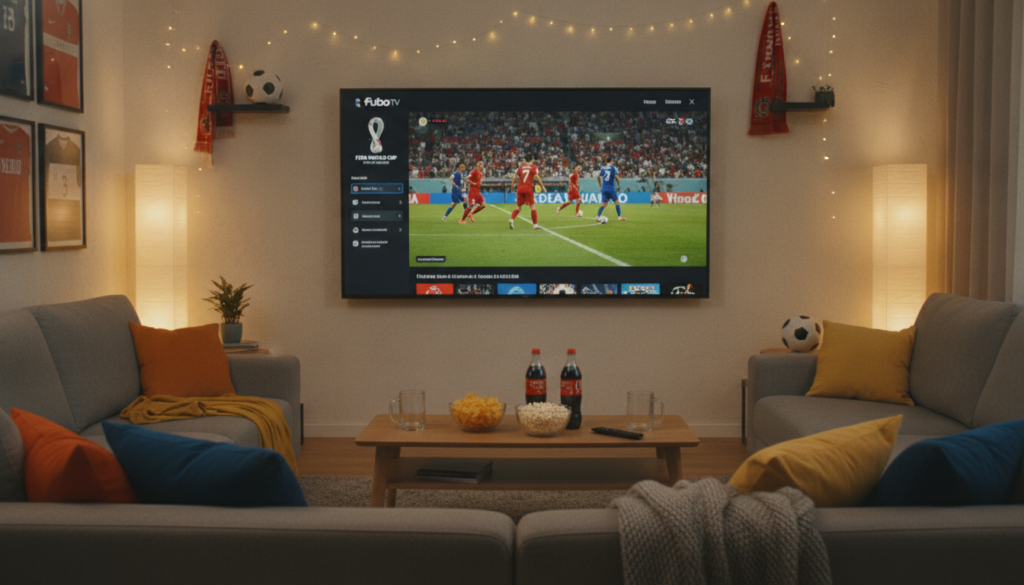
The Cloud DVR is great for busy schedules. Most plans offer 1,000 hours of storage. This lets you record every match and start watching from the beginning, even if you’re late.
Fubo is perfect for large households with its “Unlimited Screens” feature. You can stream on up to ten devices at once without interruptions. This means everyone can watch their favorite shows while you watch the World Cup.
The interface is designed for sports fans. It highlights live events so you can easily find what’s on. You can also use “FanView” to see live stats and scores during the game.
While it’s pricier than some apps, the value is in the content. Fubo offers over 35 dedicated sports networks in its base package. It’s a great investment for sports fans all year round, not just during the World Cup.
| Feature | Fubo TV Details |
|---|---|
| World Cup Channels | FOX, FS1, Telemundo, NBC Universo |
| DVR Capacity | 1,000 Hours of Cloud Storage |
| 4K Streaming | Available for select FIFA matches |
| Device Limit | 10 screens at home, 3 on the go |
| Sports Networks | 35+ dedicated sports channels |
Sling TV: Cost-Effective Live Sports Access
Many fans turn to Sling TV for affordable World Cup streaming. It’s known for its “a la carte” style, allowing you to choose only the channels you need. This makes it a top choice for budget sports streaming in the U.S.
To watch the World Cup, you need to know about Sling Orange and Sling Blue. Sling Blue is best for soccer fans because it includes FOX and FS1 in many areas. These channels show every match in English.
Choosing Sling TV streaming saves you from high cable or satellite costs. You don’t need a long-term contract. Just subscribe for the tournament month and cancel after.
While it’s affordable streaming, there are some trade-offs. The basic package offers 50 hours of cloud DVR storage for free. This covers a few matches, but you might need the DVR Plus add-on for the whole tournament.
The app works well on Roku, Amazon Fire TV, and most mobile devices. The interface is simple, focusing on getting you to live action fast.
For the best Sling TV streaming experience, check local channel availability on their website. FOX is common in major cities, but smaller areas might need an antenna. The Orange + Blue package is great for both ESPN and FOX.
Sling TV is a smart choice for fans wanting to save money without missing games. It’s a budget sports streaming leader that shows you don’t need to spend a lot to enjoy top soccer.
| Feature | Sling Blue | Sling Orange | Orange + Blue |
|---|---|---|---|
| Monthly Price | $40.00 | $40.00 | $55.00 |
| World Cup Channels | FOX, FS1 | None | FOX, FS1, ESPN |
| Streams at Once | 3 Devices | 1 Device | 1-3 Devices |
| Included DVR | 50 Hours | 50 Hours | 50 Hours |
YouTube TV: All-in-One Streaming Solution
Many fans see YouTube TV as the top choice for live sports today. It’s a complete streaming service for watching the World Cup. You get all the key channels like FOX and FS1, so you won’t miss a game.
It’s easy to use on many devices. You can use it on your smart TV, laptop, or phone. YouTube TV also lets you follow teams for live alerts before games start.
The unlimited DVR is a hit with busy fans. You can record all tournament games at once. This means you can watch them later when you’re free.
Sharing your subscription is easy and fair. You can stream on up to three devices at once. You can also have six individual accounts, each with its own shows and recommendations.
| Feature | Description | Benefit |
|---|---|---|
| DVR Storage | Unlimited DVR | Record every game |
| Device Streams | 3 Streams | Watch on multiple screens |
| Channel List | 100+ Channels | Full World Cup coverage |
| User Profiles | 6 Accounts | Customized for family |
The monthly cost is higher than some apps, but it’s worth it. You get high-definition video that stays clear, even in crowded games. It’s a top choice for those who want a smooth, all-in-one experience.
Pros:
- Complete coverage of all World Cup broadcasters.
- The best unlimited DVR in the industry.
- Very reliable streaming quality during big events.
Cons:
- Higher price point than basic sports packages.
- Requires a strong internet connection for 4K features.
How to Optimize Your FIFA World Cup Streaming Setup
Getting a clear picture during the World Cup is easy with a few tweaks. You don’t want a blurry screen when a player takes a penalty. Preparing well keeps your streaming quality top-notch throughout the tournament.
First, know your internet speed requirements. Most streaming services need a stable connection to avoid buffering. HD feeds need more bandwidth than standard broadcasts, so check your plan before the game.
Here are some streaming optimization tips for your home network. Connect your smart TV or gaming console to your router with an Ethernet cable. A wired connection is more reliable than Wi-Fi for live sports.
If Wi-Fi is your only option, place your router in an open area. Keep it close to your device to reduce signal loss. This ensures a smooth game without lag.
Improving streaming quality also means managing other devices at home. Ask family to pause downloads or stop online games during the match. These activities can slow down your stream.
| Video Quality | Internet Speed Requirements | Recommended Connection |
|---|---|---|
| Standard Definition (SD) | 3 – 5 Mbps | Wi-Fi (2.4GHz) |
| High Definition (1080p) | 10 – 15 Mbps | Wi-Fi (5GHz) |
| Ultra HD (4K) | 25+ Mbps | Wired Ethernet |
Using a multi-screen setup can enhance your experience. Watch the main game on your TV and keep a tablet for live stats. This way, you can follow every detail without missing the action.
Sound quality is just as important as the picture. Connect a soundbar or external speakers for that stadium feel. Good audio makes you feel like you’re right behind the goal.
Before the tournament, check for app updates on your streaming devices. Developers often release patches to improve streaming quality and fix bugs. A fresh update can prevent login issues or crashes during the game.
Lastly, use these streaming optimization tips to fix any technical issues. If the video is fuzzy, try restarting your router or the streaming app. Most problems are solved with a quick reboot, getting you back to the game fast.
Price Comparison and Value Analysis
Exploring subscription pricing can be a challenge. You aim to enjoy every game without spending too much on unused features. Finding a balance between your budget and the viewing experience is key for a great tournament watch.
| Streaming Service | Starting Monthly Price | Primary Benefit |
|---|---|---|
| Peacock Premium | $7.99 | Affordable Spanish Coverage |
| Sling TV Blue | $40.00 | Low-Cost English Access |
| YouTube TV | $72.99 | Unlimited DVR Storage |
| Fubo TV | $79.99 | Extensive Sports Channels |
A detailed streaming cost comparison reveals a wide range of options for American fans. Peacock offers the lowest price but focuses on Spanish-language broadcasts. For English FOX Sports feed, you need a more expensive live TV service.
Choosing the best streaming service means looking beyond the price. Consider how many people will watch games at once. Some services limit screens, while others let everyone watch on their devices.
Short-term plans can save money for the World Cup. The tournament lasts about a month, so you don’t need a year-long contract. Many fans sign up just before the tournament starts and cancel after it ends.
Free trials are great for testing streaming services. Use them during the group stages to check for quality issues. This way, you can find the best service for your internet without risk.
Sling TV is the best choice for budget-conscious fans. It offers FOX channels at a lower cost than competitors. But, serious soccer fans might prefer Fubo for its high-definition sports focus and international leagues.
YouTube TV is best for families. Its unlimited DVR lets you record and watch games later. This feature is great for busy households and removes the stress of missing games due to time zones.
Watch out for hidden fees that can change the price. Some plans require extra for 4K streaming or sports add-ons. Always check the fine print to make sure you get the channels you need.
Your Path to Never Missing a World Cup Moment
Finding the right service is key for a great World Cup experience. This guide shows how your habits help choose the best one. Consider your budget and tech setup before the tournament starts.
Sling TV is great for those watching their spending. Fubo TV is perfect for fans who want every game in HD. YouTube TV is our top choice for its easy DVR and reliable streams. FOX Sports is the go-to for official English-language coverage in the US.
Sign up for free trials a week before the games to test services. Make sure your internet speed and app compatibility are good to avoid buffering. Reliable streaming is essential to catch every fast play.
Compare features and costs with this guide. Streaming recommendations help find the perfect fit for your setup. Set alerts for match times to stay on schedule. Early preparation means you won’t miss any goals or celebrations.
Enjoy the World Cup with confidence in your chosen setup. Secure access early to avoid technical issues. Each platform offers unique benefits for soccer fans. Choose plans that fit your lifestyle. Prepare for exciting goals and intense competition.
Check these streaming recommendations to finalize your plan. Viewers prefer watching on large screens or using mobile apps while traveling. Your choice depends on your needs. Soccer brings people together worldwide. Watching live matches creates unforgettable memories. Start your journey now. The beautiful game unites us.